Best Video Doorbells (2026): 8 Wired, Battery, No-Subscription and Renter Picks

Quick answer
The best video doorbell is the one that matches your power, your phone ecosystem and how you want to store clips. For most homes, start with the Ring Battery Doorbell 2K (no wiring needed, 140 x 140 degree head-to-toe view, 6x enhanced zoom). If you never want a monthly fee, the eufy Video Doorbell E340 records to 8GB of built-in storage with two cameras, one aimed at packages. Renters with a peephole should look at the Ring Peephole Cam 2K, which swaps in without drilling.
Disclosure: As an Amazon Associate I earn from qualifying purchases.
- Ring Battery Doorbell 2K Best Overall
Built-in rechargeable battery (USB-C), Retinal 2K, 140 x 140 degree head-to-toe view, optional wiring to an existing doorbell.
Check current price on Amazon → - eufy Security Video Doorbell E340 Best No-Subscription
Dual cameras (front plus downward package view), 8GB local storage, battery or wired, works with a mechanical chime.
Check current price on Amazon → - Ring Peephole Cam 2K Best for Renters
Replaces a standard peephole with no drilling or wiring, quick release battery pack, Retinal 2K.
Check current price on Amazon →
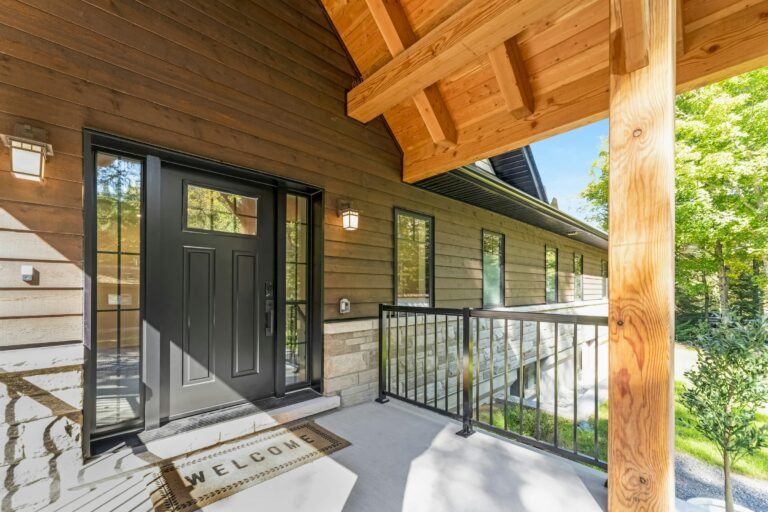
A video doorbell answers three questions from anywhere: who is at the door, did the package arrive, and is it still there. The hard part is not the camera; it is the fine print. Some doorbells save nothing unless you pay a monthly plan, some need doorbell wires your apartment does not have, and some only work well inside one app. Picking the best video doorbell means sorting out power, storage and ecosystem before you look at resolution.
This guide compares eight video doorbells on Amazon across every common setup: a battery doorbell you can mount in minutes, a premium wired 4K doorbell, the wired Google Nest Doorbell, the Arlo 2K that runs on battery or wires, two picks that store video locally without a subscription, an Apple HomeKit doorbell with its own chime, and a no-drill peephole camera for renters. Every resolution, field of view and power spec comes from the product listings, and where a listing does not say something, we say “not stated” rather than guess.
You also get a wired vs battery table, a subscription vs no-subscription storage table, renter options that leave the door untouched, step-by-step install instructions and practical tips to stop porch package theft. Building out a smart home? Our best smart thermostats guide and our Echo Show 8 vs 15 vs 21 comparison cover the screens and controls that pair with a doorbell camera. Want keyless entry to match your camera? See our best smart lock picks, including retrofit options for renters.
Best video doorbell comparison table
All figures come from the Amazon listings. “Local storage” means video is saved on the device, a chime or a home base instead of only in a paid cloud plan. Tier words (budget-friendly, mid-range, premium) are our rough guide; check the current price on Amazon. Use the table to shortlist the best video doorbell for your door, then read the matching pick below.
| Pick | Power | Video | Field of view | Storage without a plan | Works with | Tier |
|---|---|---|---|---|---|---|
| Ring Battery Doorbell 2K | Built-in battery (USB-C) or 8-24 VAC wiring | Retinal 2K, 6x zoom | 140° x 140° | Live view only; recordings need Ring Protect | Alexa | Mid-range |
| eufy Video Doorbell E340 | Quick-release battery or 16-24V wiring | 2K, dual cameras | Head-to-toe + downward package cam | Yes, 8GB built in | Alexa, Google Assistant | Mid-range |
| Ring Peephole Cam 2K | Quick Release Battery Pack | Retinal 2K, 6x zoom | 140° x 140° (173° diagonal) | Not stated in the listing | Alexa, Echo Show | Mid-range |
| Ring Wired Doorbell 4K Pro | 16 or 24 VAC wiring, plug-in adapter or 24VDC | 4K, 10x zoom | 140° x 140° | Live view only; some features need a plan | Alexa | Premium |
| Google Nest Doorbell (Wired, 3rd Gen) | 16-24 VAC wiring | 2K HDR | 166° | Not stated; advanced alerts need Google Home Premium | Google Home | Premium |
| Arlo Video Doorbell 2K (2nd Gen) | Rechargeable battery or wired trickle charge | 2K HDR | 180° | Live streaming and basic alerts; history needs Arlo Secure | Alexa, Apple Home, Google Home, SmartThings | Mid-range |
| Aqara Smart Doorbell Camera G410 | Wireless or wired (per title) | 2K (1600 x 1200 in HomeKit) | 175° | Yes, microSD in the chime (card not included) | Apple Home, Matter, Alexa, Google, Home Assistant | Mid-range |
| Tapo D205 2K Video Doorbell | Built-in 5,200 mAh battery | 2K 3MP | 160° | Yes, microSD up to 512GB (sold separately) | Alexa, Google Assistant | Budget-friendly |
The 8 best video doorbells, by setup
Each pick earns its place for a specific door, power source or app. Facts come from the listings; the badges are our judgment based on those facts and the setup rules later in this guide.
1. Ring Battery Doorbell 2K (Newest Model): Best Overall
For most front doors, this is the best video doorbell to start with because it removes the biggest obstacle: wiring. The battery is built in and recharges over USB-C (the cable is not included), and you pop the doorbell off its plate with the included removal tool when it needs a charge. The body measures 2.11 x 5.78 x 1.41 inches and Ring lists an average install time of 10 minutes.
Video is Retinal 2K with up to 6x enhanced zoom and a square 140 x 140 degree head-to-toe field of view, so you see a face and the package at the visitor’s feet in the same frame. You get Live View, Two-Way Talk and motion alerts, and it works with Alexa for chimes on an Echo Dot or video on an Echo Show. Keep in mind it connects on 2.4 GHz Wi-Fi only, Ring recommends at least 10 Mbps upload for 2K, and rewatching recorded events and AI alerts needs a Ring Protect subscription sold separately. If you have doorbell wires, you can connect them (8-24 VAC, 40VA max) for extra power.
- No wiring needed; USB-C recharge
- Head-to-toe 140 x 140 degree view
- 6x enhanced zoom
- Three colors: Speckled Gray, Matte Mocha, Speckled White
- Recorded history needs Ring Protect
- 2.4 GHz Wi-Fi only
Best for: Homeowners and renters who want the easiest install and already use Alexa
Check current price on Amazon →2. eufy Security Video Doorbell E340, Dual Cameras: Best No-Subscription
If the monthly fee is what keeps you from buying a doorbell camera, this is the best video doorbell without subscription in the guide. It has 8GB of eMMC storage built in, so clips save on the doorbell itself with no plan required. It also has two cameras: the front one captures visitors head-to-toe and a second one points down at the doormat so you can see packages left right below the door.
Power is flexible. Use the quick-release rechargeable battery, or wire it to a 16-24V doorbell supply and the battery tops up continuously. It works with an existing mechanical chime, eufy HomeBase 2 or 3, the eufy Minibase Chime, Alexa and Google Assistant. The listing quotes dual-light color night vision up to 16 feet and an IP65 rating, and a 15-degree mount adapter is in the box. It supports 2.4 GHz Wi-Fi only.
- 8GB local storage, no monthly fee
- Second camera aimed at packages
- Battery or wired
- Works with mechanical chimes
- 2.4 GHz Wi-Fi only
- Bulkier than single-camera doorbells (dimensions not stated)
Best for: Anyone who wants recordings without a plan, porches with frequent deliveries
Check current price on Amazon →3. Ring Peephole Cam 2K (Newest Model): Best for Renters
Most apartment doors have no doorbell wiring and a lease that bans drilling, and that is exactly what this camera solves, which makes it the best video doorbell for apartments. It replaces your existing peephole: the outer module sits where the peephole lens was, the inner module mounts on the inside of the door, and Ring lists no drilling, no extra tools and no wiring, with setup in under 10 minutes. Keep the original peephole parts so you can put them back when you move out.
It records in Retinal 2K with up to 6x zoom and a 140 x 140 degree view (173 degrees diagonal), and runs on a Quick Release Battery Pack you remove and recharge. Check your door before buying: the listing says it fits standard peepholes 0.47 to 0.55 inches (12 to 14 mm) in diameter on doors about 1.28 to 2.36 inches thick. It uses 2.4 GHz Wi-Fi and pairs with Echo Show for in-home viewing. The listing does not spell out storage; Ring’s battery doorbell listing says replaying recorded video needs a Ring Protect plan, so expect the same.
- No drilling or wiring
- Retinal 2K with 6x zoom
- Removable rechargeable battery
- Easy to reverse at move-out
- Only fits 12-14 mm peepholes on 1.28-2.36 inch doors
- Storage details not stated in the listing
Best for: Apartments, condos and dorm-style doors with a peephole
Check current price on Amazon →4. Ring Wired Doorbell 4K Pro (Newest Model): Best Premium Wired
If you have doorbell wires and want the sharpest picture, this is the best video doorbell for detail and the premium choice here. It records in 4K with up to 10x enhanced zoom, so you can read a delivery label or see a face at the end of the walk. 3D Motion Detection with customizable motion zones pinpoints where movement happens for fewer pointless alerts, and Low-Light Sight shows true color with just a little ambient light before switching to black-and-white in total darkness.
It is slim at 1.95 x 1.02 x 5.45 inches and connects on dual-band Wi-Fi 6 (2.4 and 5 GHz), which helps when the router is far from the door. Power must be steady: a standard doorbell system with 16 or 24 VAC at 10 to 40VA (30 to 40VA recommended), a Ring plug-in adapter or transformer (not included), or 24VDC 12W. Halogen and garden-lighting transformers are not supported. Video Descriptions, the AI summaries in your alerts, need a compatible Ring subscription and are not available in Illinois.
- 4K video with 10x zoom
- Dual-band Wi-Fi 6
- 3D Motion Detection and zones
- Four premium finishes
- Needs existing wiring or an adapter
- Smart features need a Ring plan
Best for: Wired homes, wide front yards, anyone who wants the most detail
Check current price on Amazon →5. Google Nest Doorbell (Wired, 3rd Gen): Best for Google Home
If your home runs on Google Home and Nest speakers or displays, this is the best video doorbell for you and the natural fit. It records 2K HDR video, the highest resolution Nest has offered on a doorbell according to the listing, with night vision and an expanded 166 degree field of view. It detects people, packages, vehicles and animals, and a green LED below the lens lights when it is processing or streaming video, a nice privacy cue for visitors.
It is wired only, so it never needs charging, and it needs a 16-24 VAC transformer at 10-40VA. The box includes a base plate, a 20-degree wedge for angling toward the walkway, spacers, screws, anchors and a chime connector. It is 5.16 x 1.65 x 1.14 inches and 4.9 ounces. It works in the Google Home app only. Gemini-powered features and descriptive alerts such as “person with flowers” require a Google Home Premium subscription (the listing mentions a one-month trial); what is saved without a plan is not stated in the listing.
- 2K HDR with a 166 degree view
- Person, package, vehicle and animal detection
- 20-degree wedge included
- Encrypted video and two-step verification
- Google Home app only
- Wired only; advanced features need a plan
Best for: Google Home households with existing doorbell wiring
Check current price on Amazon →
6. Arlo Video Doorbell 2K (2nd Gen), Wireless or Wired: Best Wide View
The Arlo stands out for its 180 degree field of view, the widest in this guide, which makes it the best video doorbell here for deep porches or doors set beside a side window. Video is 2K HDR (1440p at 30 frames per second) in a head-to-toe frame, and it detects people, packages, vehicles and pets, with custom activity zones and privacy zones you can draw in the app. A built-in siren can be triggered remotely, and visitors can reach you as a video call on your phone.
Power is your choice: run it wire-free on the rechargeable battery (18.21 watt-hours) or hardwire it to existing doorbell wiring for trickle charging. It is IP65 rated. It also has the broadest ecosystem support here: Alexa, Apple Home, Google Home, Samsung SmartThings and IFTTT. Live streaming and basic alerts work without a subscription; 60-day video history, AI detection and emergency response need a paid Arlo Secure plan after the included trial.
- 180 degree head-to-toe view
- Battery or wired
- Works with Alexa, Apple Home and Google Home
- Built-in siren
- Video history needs Arlo Secure
- Chime not included in this 1-camera listing
Best for: Wide porches, mixed smart-home households, people who switch phones and platforms
Check current price on Amazon →7. Aqara Smart Doorbell Camera G410 with Chime: Best for Apple HomeKit
For iPhone households, this is the best video doorbell in the guide because it works with HomeKit Secure Video, which stores encrypted recordings in iCloud and shows alerts right on Apple devices. It also supports Matter, Alexa, Google Assistant, SmartThings and Home Assistant, and it has a built-in Zigbee and Matter hub, so it can control Aqara sensors, lights and locks without a separate hub. It is one of the few picks that comes with a chime in the box, rated at 95 dB.
Local storage is a real strength: a microSD card (up to 512GB, not included) goes inside the chime indoors, so a thief cannot pull the card from the doorbell. Face recognition runs locally and the face data is never uploaded, according to Aqara. Motion is sensed with mmWave radar for fewer false alerts from shadows and wind. Video is 2K with a 175 degree view, though the listing notes HomeKit limits resolution to 1600 x 1200. It connects on 2.4 or 5 GHz Wi-Fi with WPA3. The weather rating is listed as above IPX3, lower than the IP65 picks, so a covered porch suits it best.
- HomeKit Secure Video plus Matter
- Chime with microSD slot indoors
- Local face recognition
- Built-in Zigbee and Matter hub
- microSD card not included
- Lower weather rating than IP65 picks
Best for: Apple Home users, privacy-first households, smart-home tinkerers
Check current price on Amazon →8. Tapo D205 2K Wireless Smart Video Doorbell: Best Budget-Friendly
The Tapo D205 is the best video doorbell for a tight budget and the budget-friendly way to get a 2K doorbell with no required fees. Person detection and alerts are included, and you can save clips to a microSD card (up to 512GB, sold separately) or opt into Tapo Care cloud storage later. The 160 degree ultra-wide lens covers a broad entry, and when someone presses the button you get a phone-style call in the Tapo app.
The built-in 5,200 mAh battery is rated for up to 180 days per charge, and the box includes both screws and 3M adhesive plus a mounting wedge, which makes it a reasonable no-drill option for renters with a flat door frame. It is IP54 weather-resistant, uses 2.4 GHz Wi-Fi only and works with Alexa and Google Assistant. A chime is not included; it pairs with a Tapo hub if you want an indoor ring.
- No required subscription
- Up to 180 days per charge
- 3M adhesive mount included
- 160 degree view
- Chime not included
- IP54, the lowest rating among the outdoor picks
Best for: First apartments, tight budgets, a second door like a side or garage entry
Check current price on Amazon →Wired vs battery: which video doorbell power type fits your door?
Power is the first decision because it decides what you can install. Look beside your front door: if there is a doorbell button today, there are almost always two low-voltage wires behind it, fed by a small transformer near the electrical panel, the chime or in the attic. No button, or a lease that says no drilling, points you to battery or peephole models. Get this step right and the best video doorbell for your home narrows to two or three choices.
| Factor | Battery video doorbell | Wired video doorbell |
|---|---|---|
| Install | Mounts anywhere with screws or adhesive; about 10 minutes for most | Needs existing doorbell wires (usually 16-24 VAC); 15 to 30 minutes |
| Charging | Recharge every few weeks to months depending on traffic, weather and settings | Never; runs on the doorbell transformer |
| Indoor chime | Optional; many ring a phone, smart speaker or plug-in chime | Can ring your existing mechanical chime on most models |
| Cold weather | Batteries drain faster and may charge slowly below freezing | Unaffected by battery chemistry |
| Motion and video | Often shorter clips and sleeps between events to save power | Can support always-on features and faster wake-up |
| Renters | Good; leaves no wiring changes | Usually needs landlord approval |
| Picks here | Ring Battery Doorbell 2K, Tapo D205, eufy E340 and Arlo 2K (both can also be wired) | Ring Wired Doorbell 4K Pro, Google Nest Doorbell (Wired, 3rd Gen) |
Best battery video doorbell: who should choose one
Choose the best battery video doorbell if you have no doorbell wires, rent, live somewhere mild, or simply want the fastest install. The Ring Battery Doorbell 2K is the easiest all-rounder, and the Tapo D205 lists up to 180 days per charge. A hybrid like the eufy E340 or Arlo 2K is the safest bet if you are unsure: run it on battery now and wire it later to keep the battery topped up.
Best wired video doorbell: when wiring is worth it
The best wired video doorbell makes sense when you already have a doorbell button, a busy street that triggers lots of motion, or freezing winters. Wired models never need charging, which matters most in cold climates where batteries drain quicker. Before buying, check your transformer: most wired doorbells here want 16 to 24 VAC and at least 10VA, and the Ring Wired Doorbell 4K Pro recommends 30 to 40VA. The voltage is usually printed on the transformer itself.
Best video doorbell without subscription: how storage really works
Almost every video doorbell shows a live view and sends an alert for free. The difference is what happens to the video afterward. Cloud plans save clips on the brand’s servers and usually add smarter alerts; local storage saves clips on the doorbell, a home base, a chime or a microSD card you own. If you want the best video doorbell without subscription, check for the words “local storage” or “no monthly fee” on the listing, not just “no subscription required to use.”
| Storage type | How it works | Ongoing cost | Upside | Downside | Picks here |
|---|---|---|---|---|---|
| Built-in local storage | Clips save on memory inside the doorbell | None | No card to buy; no plan | If the doorbell is stolen, recent clips go with it | eufy E340 (8GB) |
| microSD in the doorbell | You add a card (up to 512GB on Tapo) | None after the card | Large capacity; cheap to expand | Card sits outdoors in the doorbell | Tapo D205 |
| microSD in an indoor chime | Card sits in the chime inside the home | None after the card | Footage stays indoors, safe from theft | Card not included | Aqara G410 |
| iCloud via HomeKit Secure Video | Encrypted clips stored in your iCloud plan | Requires a qualifying iCloud+ plan | End-to-end encrypted, Apple alerts | Apple devices only; lower HomeKit resolution | Aqara G410, and Arlo works with Apple Home |
| Brand cloud plan | Clips saved on Ring, Nest or Arlo servers | Monthly or yearly fee | History, AI descriptions, sharing, extras | Without a plan you mostly get live view and alerts | Ring, Google Nest, Arlo |
A good rule: if you mainly want to check who is at the door right now, a live-view doorbell is fine without a plan. If you want proof of a stolen package or a record of every visitor, you need storage, either local or a plan. Factor the yearly plan cost into the comparison, because over several years it can add more than the doorbell itself.
Best doorbell camera for renters: no-drill and peephole options
Renters have three good routes, and the best doorbell camera for renters is the one your lease and your door allow. Always read the lease and ask the landlord or building manager first; many are fine with a camera that leaves no marks, and some buildings ban anything facing a shared hallway.
- Peephole camera. The Ring Peephole Cam 2K swaps out the existing peephole with no drilling or wiring. Measure first: it fits peepholes 12 to 14 mm in diameter on doors about 1.28 to 2.36 inches thick. Store the original peephole in a labeled bag for move-out.
- Adhesive battery doorbell. The Tapo D205 includes 3M adhesive. Clean the frame with rubbing alcohol, press firmly for 30 seconds and give the adhesive time to set before hanging the doorbell. Painted surfaces can peel when removed, so ask first.
- No-drill doorbell mount. Third-party brackets clamp over the top of the door or wedge between door and frame. Check that the door still closes and latches fully, and that the mount does not block the weatherstrip.
- Indoor-facing alternative. If the building bans outdoor cameras, an indoor camera on a shelf facing the door is the least invasive option.
Moving into a new place? Add the doorbell to our first apartment checklist, and check whether your renters insurance covers stolen packages, since some policies do and some do not.
How to choose the best video doorbell for your home
- Ecosystem first. The best video doorbell is the one that talks to the gear you own. Alexa homes do best with Ring; Google Home homes with Nest; iPhone households with HomeKit-ready Aqara or Arlo. Using the same app as your speakers and displays means doorbell video pops up on screens you already own.
- Wi-Fi at the door. Stand at the door with your phone and run a speed test. Ring recommends at least 10 Mbps upload for 2K. Several picks are 2.4 GHz only; the Ring 4K Pro, Aqara G410 and Nest support faster dual-band connections.
- Field of view. A square or head-to-toe view (Ring 140 x 140, Arlo 180) shows packages at the doormat. The eufy E340 adds a separate downward camera for this.
- Resolution. 2K is plenty for faces at the door; 4K and 10x zoom (Ring 4K Pro) help with long walkways and reading labels.
- Weather rating. IP65 (eufy, Arlo) handles driving rain; IP54 or IPX3 picks belong under a porch roof.
- Chime. Decide how you will hear it inside: an existing chime, a smart speaker, a bundled chime (Aqara) or just your phone.
- Total cost. Add the yearly plan price to the doorbell price, or choose local storage.
How to install a video doorbell, step by step
Battery or adhesive doorbell (about 10 to 20 minutes)
Installing the best video doorbell is a DIY job for most people. Read the included guide first, since mounting plates and wedges differ by brand.
- Charge the battery fully before you start, then set up the doorbell in the app while standing at the door so it joins Wi-Fi where it will live.
- Hold the doorbell at about 48 inches from the ground (roughly chest height) on the latch side of the door, and check the live view for a clear shot of faces and the doormat.
- Use the included wedge if the door is set back or the walkway approaches from the side.
- Mark holes through the mounting plate, drill pilot holes (use anchors in brick or stucco), screw the plate on level, then click the doorbell in and insert the security screw.
- Set motion zones to cover your walkway and porch, not the street or your neighbor’s door.
Wired doorbell (about 20 to 30 minutes)
- Turn off the breaker that feeds the doorbell transformer. If you are not sure which one it is, switch off the main or ask an electrician. Never work on live wires.
- Remove the old button and gently pull the two low-voltage wires out; tape them to the wall so they cannot slip back into the hole.
- Confirm the transformer voltage and VA rating matches the doorbell (for example 16 to 24 VAC, 10 to 40VA). Upgrade the transformer if it is too weak.
- If the manual calls for it, install the included chime connector or power kit inside your indoor chime.
- Attach the wires to the mounting plate terminals (polarity usually does not matter on AC doorbells), mount the plate, attach the doorbell, restore power and finish setup in the app.
Peephole camera (under 10 minutes)
- Measure the peephole hole diameter and the door thickness against the listing.
- Unscrew the old peephole from inside and keep every part.
- Feed the outer camera through the hole, attach the inside module, and snap in the charged battery pack.
- Run setup in the app and test the button and motion alerts.
Planning more outdoor tech this season? Our outdoor timer for Christmas lights guide covers weatherproof outlets and smart plugs, and our Philips Hue vs Govee comparison can help you add porch lights that switch on when the doorbell sees motion.
Porch package theft: practical tips that work with your doorbell
A doorbell camera deters many porch pirates and gives you proof when a package goes missing, but even the best video doorbell works better paired with a few simple habits, especially around the holiday shopping rush and Black Friday.
- Know what is coming. Sign up for USPS Informed Delivery to preview mail and track packages, and turn on delivery alerts in your shopping apps.
- Aim for the doormat. Pick a doorbell with a head-to-toe or downward view (eufy E340, Ring 140 x 140, Arlo 180) so the package itself is in frame.
- Use package detection alerts where available, and answer with Two-Way Talk; a voice at the door makes many people walk away.
- Light the porch. A bright porch light on a timer or motion sensor improves night video and discourages loitering.
- Leave delivery instructions such as “behind the planter” or “side door,” or use a lockable parcel box or a pickup locker.
- Redirect when you are away. Ask a neighbor to grab packages, or use carrier hold and redirect tools.
- Save the clip right away if something is taken, and file a police report and a claim with the seller or carrier. Without local storage or a plan, there may be no clip to save.
Keep your doorbell camera private and secure
A doorbell camera is a connected device pointed at your home, so even the best video doorbell is only as safe as its account. Treat it like your bank login. Use a long, unique password (see CISA’s guide to strong passwords), turn on two-step verification as CISA recommends for MFA, keep the app and firmware updated, and share access through the app’s guest or shared-user feature instead of handing out your login. Use privacy zones to mask a neighbor’s window or a shared hallway, and check your local rules on recording audio.
What to check before buying the best video doorbell for you
- Doorbell wires and transformer voltage, or a plan for battery power.
- Peephole diameter and door thickness for a peephole camera.
- Wi-Fi band (2.4 GHz only or dual-band) and upload speed at the door.
- Which app and voice assistant it works with.
- Storage: local, microSD, iCloud or a paid plan, and the yearly cost.
- Field of view and whether packages at your feet are in frame.
- Weather rating for an exposed or covered door.
- Your lease or HOA rules, and the return window shown on the Amazon product page.
Check current price on Amazon →
How we chose the best video doorbell picks
We did not test these video doorbells hands-on. We started with real searches from US shoppers about video doorbells, then picked well-known candidates from Amazon’s video doorbell category and read each listing for power options, resolution, field of view, Wi-Fi band, storage and subscription terms, weather rating and ecosystem support. We kept one strong pick for each common setup (battery, wired, no-subscription, renter, Google, Apple, budget) and gave each a “best for” label based on its specs and the rules in this guide. Listings and plan terms change, so confirm the current details on Amazon before you buy. Shopping the holiday sales? Our Black Friday home deals guide explains how to judge a smart home discount.
Helpful resources: CISA: Use strong passwords, CISA: Turn on multifactor authentication and USPS Informed Delivery.
Video doorbell FAQ
What is the best video doorbell overall?
For most homes the best video doorbell is the Ring Battery Doorbell 2K: no wiring needed, a built-in USB-C rechargeable battery, Retinal 2K video and a 140 x 140 degree head-to-toe view. If you have doorbell wires and want the most detail, the Ring Wired Doorbell 4K Pro adds 4K video, 10x zoom and dual-band Wi-Fi 6.
What is the best video doorbell without subscription?
The eufy Video Doorbell E340 is the strongest pick for a video doorbell without subscription: it saves clips to 8GB of built-in storage and has a second camera aimed at packages. The Tapo D205 (microSD) and Aqara G410 (microSD in the indoor chime, or HomeKit Secure Video) are other no-fee options.
What is the best doorbell camera for renters?
The best doorbell camera for renters is usually a peephole camera like the Ring Peephole Cam 2K, which replaces a standard 12 to 14 mm peephole without drilling or wiring. If there is no peephole, a battery doorbell with an adhesive mount such as the Tapo D205 is the next best option. Ask your landlord first.
Is a battery or wired video doorbell better?
A wired video doorbell never needs charging and copes better with freezing weather, so it is better if you already have doorbell wires. A battery video doorbell is better for renters, homes without wiring and quick installs. Hybrids like the eufy E340 and Arlo 2K let you start on battery and wire later.
What is the best battery video doorbell?
The Ring Battery Doorbell 2K is the best battery video doorbell for most people thanks to its 10 minute install, USB-C charging and head-to-toe view. For a budget-friendly battery model with no required fees, the Tapo D205 lists up to 180 days per charge and microSD storage.
What is the best wired video doorbell?
The Ring Wired Doorbell 4K Pro is the best wired video doorbell for detail, with 4K video, 10x zoom and Wi-Fi 6. Google Home users should choose the Google Nest Doorbell (Wired, 3rd Gen) with 2K HDR and a 166 degree view. Both need a doorbell transformer, typically 16 to 24 VAC.
Also Explore
Latest Posts
 7 Best Christmas Stocking Holders for Every Mantel (2026)
 Best Hanging Toiletry Bag for Women (2026): 8 Organized Picks for Travel and Cruises
 Best Butter Dish with Lid (2026): 8 Picks for Counter and Fridge
 Best Luxury Nail Polish Gift Set: 7 Picks for Christmas (2026)
 Best Boot Tray for Winter (2026): 8 Picks for Snowy, Muddy Entryways
 Best Watch Winder for Automatic Watches (2026): 7 Quiet Picks and a Gift Guide for Him